18 - How to Create a Line
What is a User Line?
A user line is a unique credential that allows a user to access your IPTV service. It specifies permissions, content access, connection limits, and subscription duration.
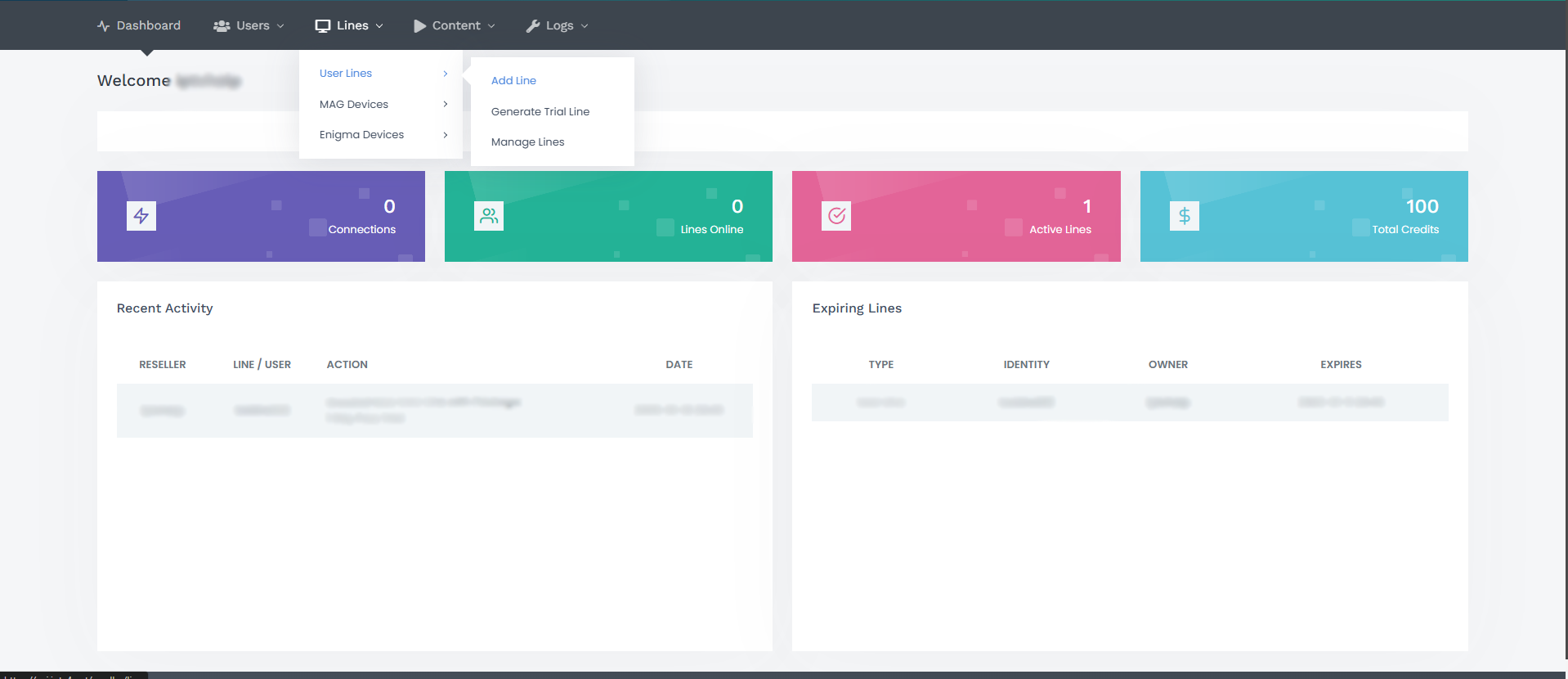
Step 1: Navigate to the Lines Section
While on the main screen of your panel, click on the "Lines" section and then select "Add Line" from the displayed options.
Step 2: Fill in Line Details
On the next screen, fill in the required information. Be sure not to use special characters in the username and password fields.
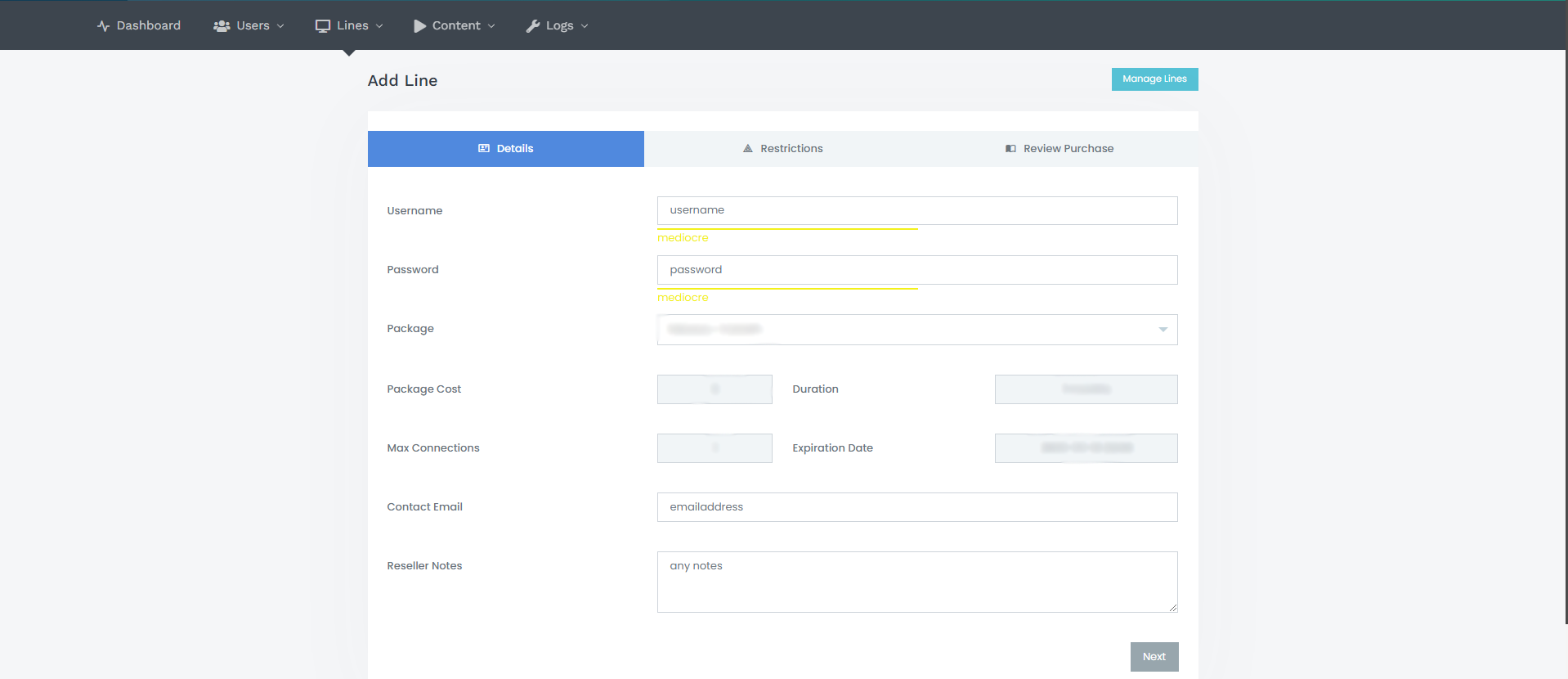
On the screen, you'll see:
- Package Cost: Credit required for the package.
- Duration: Package validity period.
- Max Connections: Allowed connections for the package.
- Expiration Date: Line's end date based on the package.
- Contact Email: Customer's email (optional).
- Reseller Notes: Private notes for your reference (optional).
Once all required fields are completed, use the "Review Purchase" section to add or remove bouquets as needed and then save the line.